

Send Invoices
When you want to email invoices out to your members, use this page. Select what you want to send (either all unpaid invoices or specific invoices between two dates) and enter the information you would like to appear in the email.
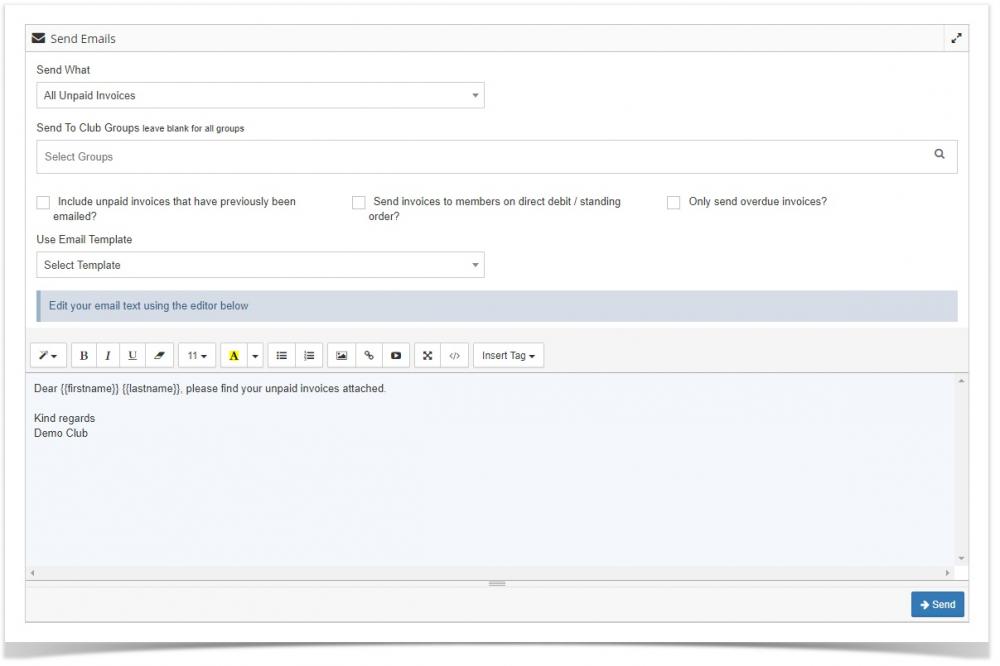
If you check the "Include unpaid invoices that have previously been emailed" check box, all invoices that fit the criteria above will be emailed, even if they have previously been emailed.
You can enter special "tags" in the email box that will be replaced when the email is sent out. For example entering {{firstname}} {{lastname}} will replace those values with the recipients actual name.
To email a single invoice, there are 3 ways to achieve this:
View the invoices page and click on the envelope icon on the row in question
View the invoice and click on the envelope icon
View the member, click on their invoices tab and click on the envelope icon on the row in question