

Workflows
A workflow is a process that sends a selected list of members an email when something happens in the system.
For example, let's say we want to be notified when any member updates their address.
Go to "Setup > Workflows" and click on the "Add Workflow" button.
In the form, enter the following:
Workflow name: Member changes address
Table: Members
Workflow type: Record is updated
Fields: Address 1, Address 2, Address 3, Address 4, Postcode
Click the "Add Workflow" button
Click on the "Add Step" button and select the user you want to be notified when this workflow fires.
Enter any text you would like to be included in the email that is sent out when it fires.
Click "Add Step".
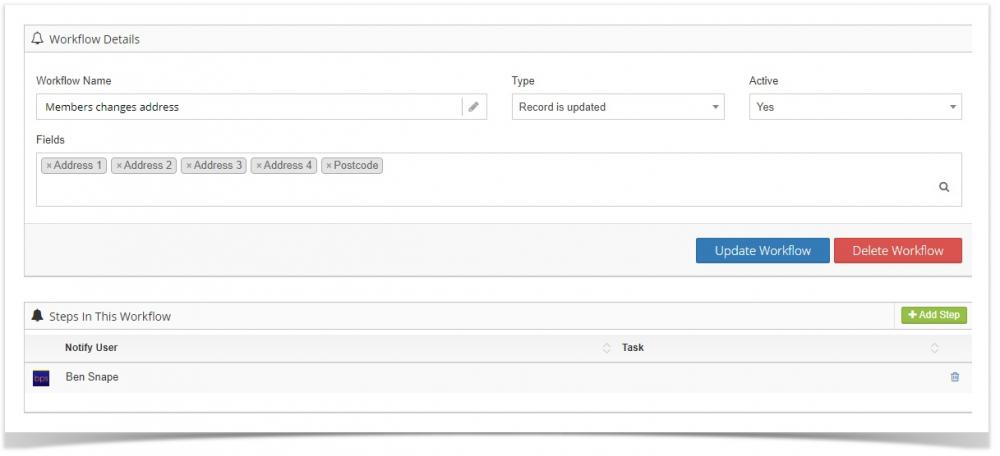
That's it, from now on, when a member updates any of their address fields, you will receive an email.